

Toad is a universal terminal interface for AI agents, created by Will McGugan, the creator of the popular Python libraries Rich and Textual. The name comes from “textual code”—combining the Textual framework with coding assistance.Documentation Index
Fetch the complete documentation index at: https://allhandsai-feat-plugin-via-agent-context-example.mintlify.app/llms.txt
Use this file to discover all available pages before exploring further.
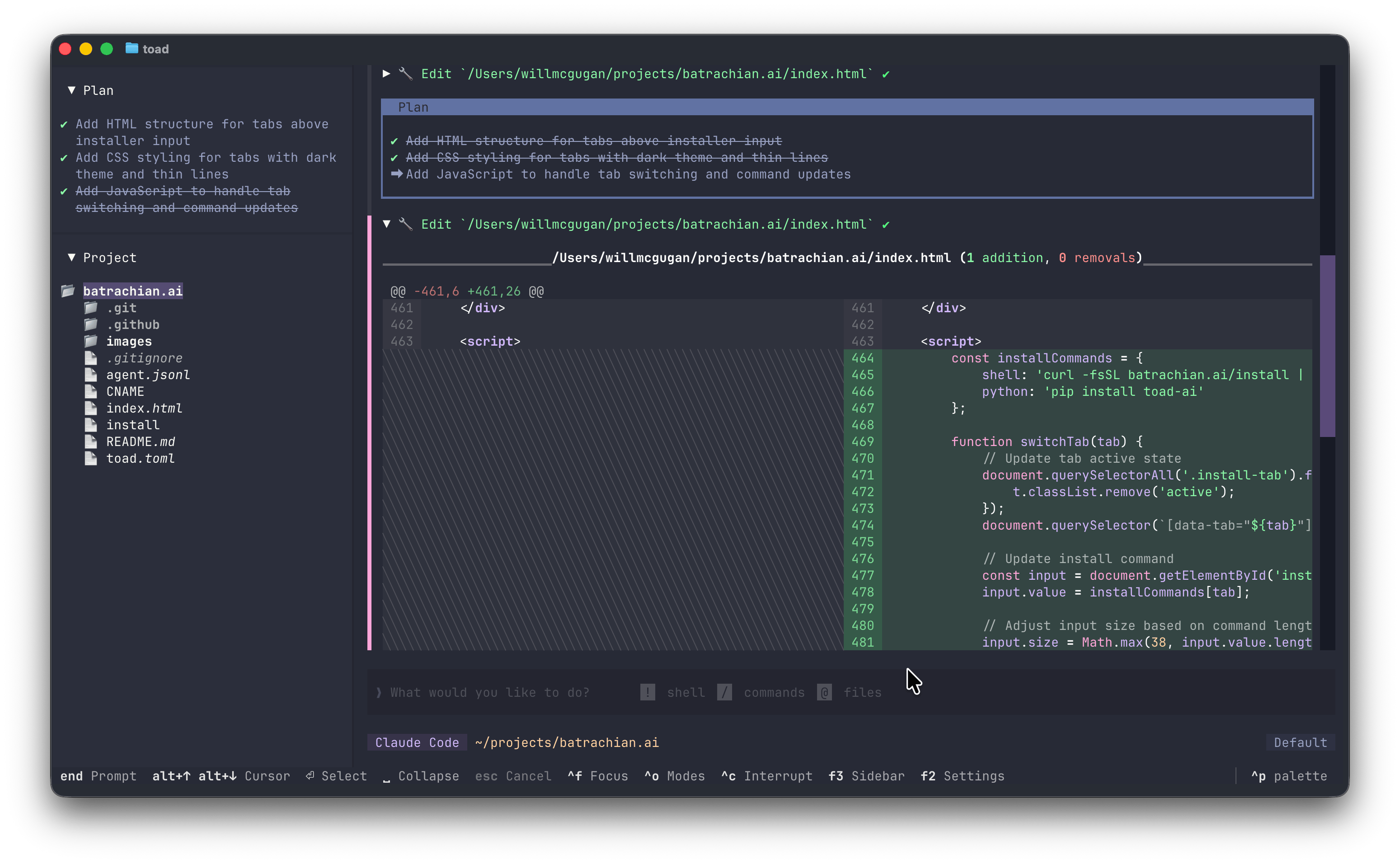
Why Toad?
Toad provides a modern terminal user experience that addresses several limitations common to existing terminal-based AI tools:- No flickering or visual artifacts - Toad can update partial regions of the screen without redrawing everything
- Scrollback that works - You can scroll back through your conversation history and interact with previous outputs
- A unified experience - Instead of learning different interfaces for different AI agents, Toad provides a consistent experience across all supported agents through ACP
Prerequisites
Before using Toad with OpenHands:- OpenHands CLI installed - See Installation
- LLM settings configured - Run
openhandsand use/settings
Installation
Install Toad using uv:Setup
Using the Agent Store
The easiest way to set up OpenHands with Toad:- Launch Toad:
uvx batrachian-toad - Open Toad’s agent store
- Find OpenHands in the list of recommended agents
- Click Install to set up OpenHands
- Select OpenHands and start a conversation
Manual Configuration
You can also launch Toad directly with OpenHands:Usage
Basic Usage
With Command Line Arguments
Pass OpenHands CLI flags through Toad:Resume a Conversation
Resume a specific conversation by ID:Advanced Configuration
Combined Options
Environment Variables
Pass environment variables to OpenHands:Troubleshooting
”openhands” command not found
Ensure OpenHands is installed:Agent doesn’t respond
- Check your LLM settings:
openhandsthen/settings - Verify your API key is valid
- Check network connectivity to your LLM provider
Conversation not persisting
Conversations are stored in~/.openhands/conversations. Ensure this directory exists and is writable.
See Also
- IDE Integration Overview - ACP concepts and other IDEs
- Toad Documentation - Official Toad documentation
- Terminal Mode - Use OpenHands directly in terminal
- Resume Conversations - Find conversation IDs